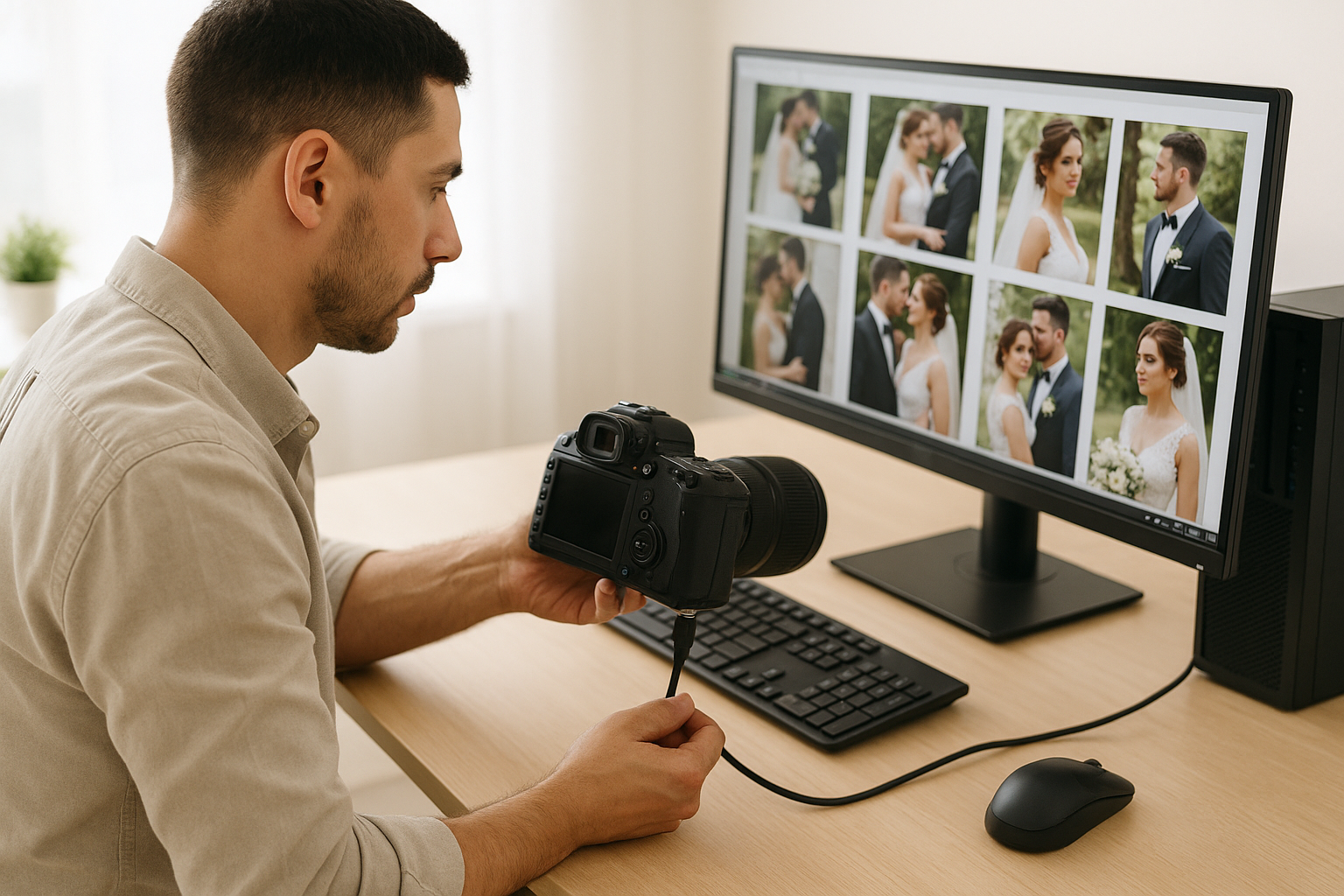
In the fast-paced world of professional photography, especially wedding photography, every second counts. Once the big day is over, newlyweds eagerly wait to see their special moments brought to life. Behind the scenes, photographers face a challenge: transferring hundreds, sometimes thousands, of high-resolution images from camera to computer.
This is where the importance of fast camera-to-PC connections becomes clear. Whether it’s a simple cable, card reader, or wireless connection, speed directly impacts workflow, editing efficiency, and delivery times. For any modern photographer, a smooth and reliable transfer system is not just a convenience—it’s a necessity.
Why Speed Matters in Photography
High-resolution cameras produce stunning, detailed images, but they also create enormous files. A single RAW photo can range between 25MB and 80MB depending on the camera model. Multiply that by a typical wedding shoot of 2,000–4,000 images, and you’re looking at 100–200GB of data in just one event.
If each transfer takes minutes instead of seconds, the lost time quickly adds up. More importantly, delays in transferring images mean delays in editing, culling, retouching, and ultimately, delays in delivering finished galleries to clients.
Couples expect quick turnarounds. A slow transfer can feel like a bottleneck that prevents the entire editing process from moving forward.
Connection Methods: Which is Best for Photographers?
There are several ways photographers can connect their cameras to PCs, each with pros and cons.
Most modern cameras now include USB-C ports, capable of transferring files at lightning speeds. A direct connection eliminates the need for additional hardware like card readers and often ensures the fastest possible data transfer.
Pros: Fast speeds, no extra gear needed, reliable.
Cons: Requires compatible cables, not all older cameras support it.
2. Card Readers
SD, CFexpress, and XQD cards remain industry standards for storing image files. Professional photographers often prefer using dedicated card readers, especially when handling multiple cards from multiple cameras.
Pros: Often faster than direct camera connections, allows multiple cards to be offloaded at once.
Cons: Extra device to carry, potential compatibility issues if using different card formats.
3. Wireless Transfer (Wi-Fi / Bluetooth)
Some cameras now allow wireless image transfers directly to a PC or editing software. While convenient, the speeds are typically much slower compared to USB-C or card readers.
Pros: No cables, convenient for quick previews.
Cons: Slower, can drain camera battery, often unreliable for bulk transfers.
Editing Workflow: Why Speed is Crucial
Once images land on the PC, the editing process begins. Software like Adobe Lightroom or Capture One is resource-heavy, and waiting for files to import can feel endless if the connection is slow.
A faster connection provides:
Quicker Culling – Sorting through thousands of photos becomes smoother when files import rapidly.
Efficient Editing – No lag between image loads, keeping creativity uninterrupted.
Better Backup – Images can be backed up to external drives or cloud services instantly.
Client Satisfaction – Faster turnaround times mean happier couples, which leads to better reviews and referrals.
Real-World Scenario: Wedding Photography
Imagine photographing a large wedding in Edinburgh with two full-frame cameras, each loaded with high-capacity memory cards. By the end of the day, you’ve shot 3,500 RAW files totaling 150GB.
With USB 2.0 speeds (average 35 MB/s): The transfer could take over 70 minutes.
With USB-C 3.2 or CFexpress reader (average 1,000 MB/s): The same transfer finishes in under 3 minutes.
That’s a 67-minute difference—time that could be spent editing, resting, or preparing a preview gallery for the client.
Choosing the Right PC Setup for Photography
A fast camera connection is only part of the equation. The PC itself needs to handle large file transfers and editing workloads efficiently. Photographers should look for:
USB-C or Thunderbolt Ports for the fastest possible transfers.
High-Speed SSD Storage to ensure images load instantly when editing.
Sufficient RAM (32GB recommended) for smooth performance in Lightroom or Photoshop.
Powerful GPU for rendering previews and handling complex retouching.
With the right combination of hardware and connections, a photographer can streamline the entire workflow.
Backup: Protecting Client Memories
Speed is important, but so is security. Every professional photographer knows the golden rule: “Backup in two places, immediately.”
With fast connections, backing up to an external SSD or NAS system becomes painless. This not only ensures peace of mind but also demonstrates professionalism—clients trust photographers who protect their precious memories.
Looking Ahead: The Future of Camera-to-PC Connections
Technology continues to evolve, and future solutions may include even faster wireless transfers, direct-to-cloud storage, and AI-assisted import processes. However, for now, USB-C and CFexpress readers remain the gold standard for speed and reliability.
Final Thoughts
For professional photographers, especially in weddings where time and efficiency matter most, fast camera-to-PC connections are non-negotiable. They save hours of waiting, speed up editing, and keep clients delighted with quicker delivery times.
When choosing a workflow, investing in reliable high-speed transfer methods is just as important as selecting the right camera or lens. After all, the sooner images are on the computer, the sooner the creative work of editing can begin.
For couples searching for someone who values both artistry and efficiency, working with an experienced photographer ensures that your memories are captured, edited, and delivered with care and speed.
Frequently Asked Questions
Q1: Why is a fast camera-to-PC connection important for photographers? A fast connection ensures quick transfers of large RAW files, reduces waiting time, and speeds up the entire editing workflow, allowing photographers to deliver galleries to clients faster.
Q2: What’s the fastest way to transfer photos from a camera to a computer? Currently, using a USB-C 3.2 or Thunderbolt connection directly from camera to PC, or through a CFexpress/XQD card reader, offers the highest speeds.
Q3: Is wireless photo transfer good for professional photography? Wireless transfer is convenient for small batches or previews, but it’s not ideal for large wedding galleries because it’s much slower compared to wired connections.
Q4: Do memory cards affect transfer speed? Yes. High-performance cards like CFexpress Type B and XQD are significantly faster than standard SD cards, making them ideal for professional photographers.
Q5: What PC setup is best for photographers handling large image files? A computer with USB-C ports, SSD storage, at least 32GB of RAM, and a dedicated GPU will provide the best performance for transferring and editing high-resolution images.
Q6: How can photographers keep files safe after transferring? Always back up images to at least two separate locations—an external SSD or hard drive, plus a cloud service—to ensure client photos are never lost.
In today’s fast-paced digital world, computers and electronic devices have become indispensable tools for work, communication, education, and entertainment. Whether you rely on a laptop for business, a smartphone for staying connected, or a gaming console for leisure, these devices play a crucial role in daily life. However, frequent upgrades and replacements can be expensive,…
Stepping into a car should be an experience of calm and readiness, not a confrontation with stale air, sticky surfaces, and forgotten crumbs. While many view car cleaning as a mere aesthetic chore, the truth is that why a clean car matters more than you think for health and comfort extends far beyond superficial appearances….
Riot Games has officially confirmed that VALORANT is debuting on console platforms, but there’s a catch. Unfortunately, PS4 and Xbox One users won’t be able to join in. Instead, the popular tactical 5v5 shooter will be exclusively released for current-gen platforms like Xbox Series X|S and PS5. As a fan of fast-paced FPS games, you’re…
Have you decided to clean up your gallery and finally get rid of duplicate photos? There are probably way more of them on your iPhone than you think. You may already know, or perhaps this is new information, but iOS 16 or later has a built-in feature for merging duplicate photos on iPhone. But the…
The digital age has brought a multitude of tools and services designed to assist students and professionals in their writing endeavors. Among these, AI-based writing assistants stand out, promising a revolution in how we approach written communication. These tools not only help in crafting precise and coherent essays but also empower users to overcome writer’s…
Setting up your PS4 controller is an essential step in enjoying your PlayStation 4 gaming experience. Whether you’re a new owner or need to reconnect an existing controller, this guide will walk you through the process. Understanding how to pair your controller with your console is crucial, especially when you need to connect multiple controllers…