Can you connect a ps4 controller to a ps5? Here’s What You Need to Know!
The arrival of the PS5 has marked a significant turning point in the gaming world, offering an enhanced experience thanks to its advanced graphics capabilities and innovative features.
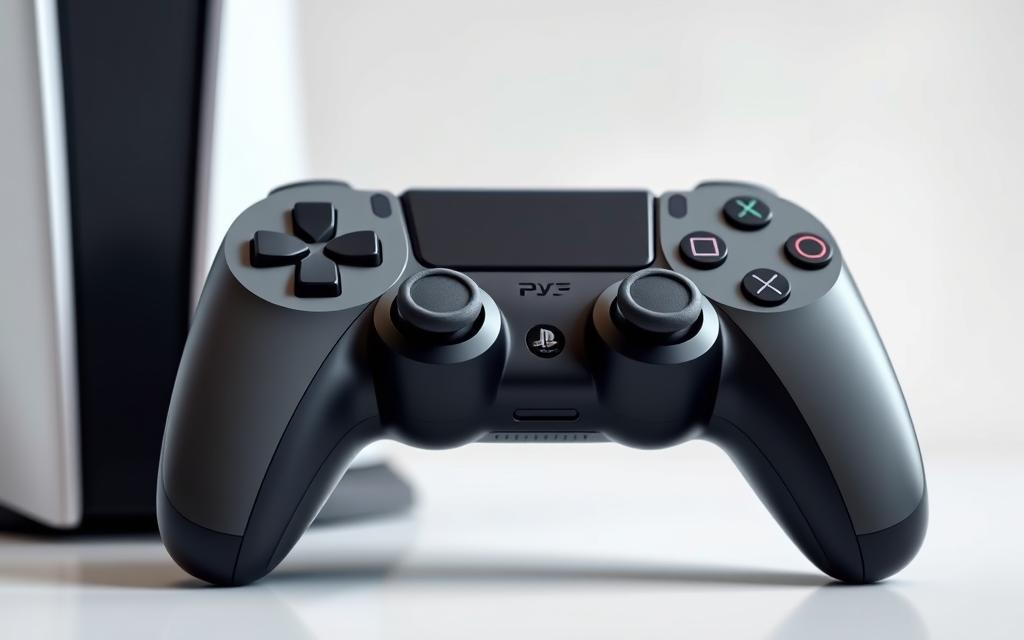
Many gamers who already own one or more DualShock4 controllers for their PS4 wonder if they can use them on their new PS5 console. The answer is yes, but with some constraints. The compatibility between PS4 controllers and the PS5 allows for playing backward-compatible PS4 games, but there are limitations, especially with PS5-exclusive games.
For a detailed guide on how to connect your PS4 controller to your, including troubleshooting common issues, read on to explore the possibilities and constraints of using your existing controller with the new console.
Understanding PS4 Controller Compatibility with PS5
The PS5’s compatibility with PS4 controllers is limited, and understanding these limitations is essential for a smooth gaming experience. According to Sony, the PS4 controller can only be used to play backward-compatible PS4 games on the PS5.
What Sony Says About Controller Compatibility
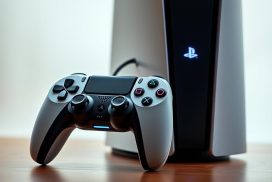
Sony has confirmed that the PS4 controller cannot be used to play PS5 games due to the lack of certain features in the DualShock 4 that are present in the DualSense controller, such as haptic feedback and adaptive triggers. As stated by PlayStation, “The DualSense controller features haptic feedback, which provides a more immersive gaming experience.”
Related:



Limitations You Should Know About
The main limitation is that the PS4 controller is restricted to playing PS4 games on the PS5. This is because the DualShock 4 lacks the advanced features of the DualSense controller, which are integral to the PS5 gaming experience. As a result, gamers will need to use the DualSense controller to fully enjoy PS5 games.
Can You Connect a PS4 Controller to a PS5?
As gamers transition to the PS5, they often ask if their existing PS4 controllers are compatible. The answer is crucial for those who have invested in the DualShock 4 and wish to continue using it with their new console.
The Short Answer: Yes, But With Restrictions
Yes, you can connect a PS4 controller to a PS5, but with significant restrictions. The PS4 controller is compatible with backward-compatible PS4 games on the PS5. This means you can play PS4 games on your PS5 using your DualShock 4 controller. However, it’s not compatible with PS5 games that require the advanced features of the DualSense controller.
PS4 Games vs. PS5 Games Compatibility
The key distinction lies in the type of games you’re playing. For backward-compatible PS4 games, the PS4 controller works seamlessly. However, for PS5 games, the DualSense controller is required due to its advanced features like haptic feedback. An alternative for playing PS5 games with a PS4 controller is using “Remote Play” to stream games to another device.
Connecting Your PS4 Controller via USB Cable
A USB cable provides a reliable method to connect your PS4 controller to your PS5. This method is preferred for its stability and simplicity.
What You’ll Need
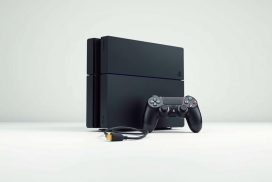
To establish a wired connection, you’ll need a micro-USB cable. Make sure it’s compatible with your PS4 controller. The USB connection is straightforward and doesn’t require additional software.
Step-by-Step Connection Process
To connect your PS4 controller to your PS5 via USB, follow these steps:
- Connect the PS4 controller to the PS5 using a micro-USB cable.
- Press the PS button on the controller.
- Wait for the controller‘s LED to start flashing, indicating it’s paired.
- Once paired, you can remove the cable unless you’re charging the controller.
Using a wired connection initially allows for a stable pairing, after which you can switch to a wireless connection for convenience.
Pairing Your PS4 Controller via Bluetooth
Bluetooth connectivity allows you to pair your PS4 controller with your PS5 without the need for cables. This method provides a convenient alternative to wired connections, giving you more flexibility during gameplay.
Accessing Bluetooth Settings on PS5
To start the pairing process, access the Settings menu on your PS5, then navigate to Accessories > Bluetooth Accessories. This will allow your PS5 to detect nearby Bluetooth devices.
Putting Your Controller in Pairing Mode
Press the PlayStation and Share buttons on your PS4 controller simultaneously until the LED light blinks, indicating that it is in pairing mode.
Completing the Connection
Once your PS4 controller is in pairing mode, it will appear in the PS5’s Bluetooth device list. Select the controller to complete the pairing process, and verify that the connection is successful.
Playing PS4 Games on PS5 with Your DualShock 4
The PS5’s backward compatibility feature allows you to play PS4 games using your DualShock4 controller. This means you can enjoy your existing PS4 game library without needing to switch to the new DualSense controller.
Backward Compatibility Explained
The PS5 is designed to be backward compatible with the overwhelming majority of PS4 games. This compatibility extends to both physical and digital games, allowing for a seamless transition between console generations. You can play your PS4 games on the PS5 using either the DualShock4 or the DualSense controller, giving you flexibility in how you play.
Performance Benefits on PS5
Playing PS4 games on the PS5 comes with several performance enhancements. The PS5’s SSD significantly reduces loading times, making gameplay smoother. Additionally, some PS4 games benefit from the PS5’s Game Boost feature, which can increase the frame rate to 60fps or higher, enhancing the overall gaming experience.
| Feature | Benefit |
|---|---|
| Backward Compatibility | Play PS4 games on PS5 |
| Game Boost | Enhanced frame rates up to 60fps |
| SSD | Faster loading times |
Why PS4 Controllers Don’t Work with PS5 Games
Sony’s decision to limit PS4 controller compatibility with PS5 games is rooted in the advanced features of the DualSense controller. The PS5’s DualSense controller was specifically designed to take advantage of the console’s capabilities, such as haptic feedback and adaptive triggers, which are not supported by the PS4 controller.
DualSense Features Missing from DualShock4
The DualSense controller boasts several features that are not available on the DualShock4, including haptic feedback, adaptive triggers, and a share button. These features significantly enhance the gaming experience on the PS5, making it difficult for PS4 controllers to provide the same level of immersion.
Sony’s Design Philosophy
Sony’s design philosophy behind the DualSense controller is centered around creating a more immersive gaming experience. By leveraging the advanced features of the PS5, Sony aims to provide gamers with a unique and engaging experience that is not possible with the PS4 controller. This approach is reflected in the design of PS5 games, which are optimized to take full advantage of the DualSense controller’s capabilities.
Using Remote Play as a Workaround
For gamers facing the limitation of using PS4 controllers with PS5 games, there’s a clever workaround worth exploring: Remote Play. This feature allows you to stream PS5 games to another device, where you can then connect your PS4 controller, effectively bypassing the official restriction.
Setting Up Remote Play on Your Devices
To start using Remote Play, you’ll first need to enable it on your PS5. Navigate to ‘Settings’, then ‘System’, and finally ‘Remote Play’. Turn on ‘Enable Remote Play’. Next, prepare your secondary device (PC, Mac, smartphone, or tablet) by downloading the ‘PS Remote Play’ app.
Connecting Your PS4 Controller to Remote Play
Once the PS Remote Play app is installed, connect your PS4 controller to the secondary device either via Bluetooth or USB. For Bluetooth, put your controller in pairing mode and select it from your device’s Bluetooth list. For USB, simply plug it in. You can now play PS5 games on your secondary device using your PS4 controller.
| Device | Connection Method |
|---|---|
| PC/Mac | USB/Bluetooth |
| Smartphone/Tablet | Bluetooth |
While Remote Play offers a workaround, be aware of potential limitations, including latency and resolution constraints. Ensure your internet connection is robust to minimize lag.
Troubleshooting Common Connection Issues
Troubleshooting connection issues with your PS4 controller on PS5 can be straightforward with the right steps. Various factors can cause connection problems, but most can be resolved with simple troubleshooting.
Controller Won’t Connect or Pair
If your controller won’t connect, first check if the battery is low. Charge it for about 30 minutes using a working USB cable. If that doesn’t work, try a different USB port on your PS5. As a last resort, perform a manual reset on your controller.
Controller Disconnects Frequently
Frequent disconnections can be due to interference or distance. Make sure you’re within 10 meters of your PS5 and that there are no obstacles between the controller and the console. This should help stabilize the connection.
Buttons Not Responding Properly
If the buttons on your controller are not responding, try cleaning it with a can of compressed air and a slightly damp cloth. This can remove dirt and grime that may be causing the issue. Regular cleaning can help maintain your controller’s performance.
Conclusion
To wrap up, PS4 controllers can be connected to PS5 consoles, but users should understand the limitations. The PS4 controller is compatible with backward-compatible PS4 games on the PS5. You can connect your controller via USB or Bluetooth, each with its pros and cons. For PS5 games, consider using Remote Play as a workaround. For multiplayer gaming with backward-compatible titles, your existing PS4 controller can be a cost-effective option. Ultimately, PS5 owners should weigh the benefits of using their PS4 controllers against investing in additional DualSense controllers.
FAQ
Is it possible to use a PS4 controller with a PS5 console?
Yes, it is possible to use a PS4 controller, also known as DualShock 4, with a PS5 console, but with certain restrictions, particularly when playing PS5 games.
Can I play PS5 games using a PS4 controller?
No, PS5 games are not compatible with the PS4 controller. The DualSense controller is required to play PS5 games due to its advanced features.
How do I connect my PS4 controller to my PS5 via USB?
To connect your PS4 controller to your PS5 using a USB cable, simply plug the USB cable into both devices. The PS5 should recognize the controller, allowing you to use it for compatible games and functions.
Can I pair my PS4 controller with my PS5 using Bluetooth?
Yes, you can pair your PS4 controller with your PS5 via Bluetooth. To do this, go to your PS5’s Bluetooth settings, put your PS4 controller in pairing mode, and select the controller from the available devices list.
What are the benefits of playing PS4 games on PS5 with a PS4 controller?
Playing PS4 games on PS5 with a PS4 controller can offer a more familiar gaming experience. The PS5’s backward compatibility ensures that PS4 games run smoothly, and using a PS4 controller can be more comfortable for those accustomed to it.
Why doesn’t my PS4 controller work with all PS5 features?
The PS4 controller lacks certain features present in the DualSense controller, such as haptic feedback and adaptive triggers, which are utilized in some PS5 games and experiences, making it incompatible with those specific features.
Can I use Remote Play as a workaround to play PS5 games with a PS4 controller?
Yes, using Remote Play, you can stream PS5 games to another device and potentially use a PS4 controller connected to that device, providing a workaround for playing PS5 games with a PS4 controller, albeit indirectly.
What should I do if my PS4 controller won’t connect to my PS5?
If your PS4 controller won’t connect, try restarting both devices, checking the USB cable for damage, or resetting the controller. Ensure that your PS5’s software is up to date, as updates often resolve connectivity issues.
Why does my PS4 controller disconnect frequently when used with PS5?
Frequent disconnections can be due to interference, low battery, or issues with the Bluetooth connection. Try moving closer to the console, charging the controller, or reconnecting it via USB or Bluetooth.